1Taking bookings, or paused, with one switch2Their own working hours
3Hours and pay, session by session
The problem
Where multi-venue operations break down
Most operators run their venues on whatever each one started with. It works until someone needs the whole picture.
01
Bookings split across venues and systems
Court hire in one system, coaching in another, programs and memberships somewhere else, and a different setup again at each venue. Nobody can see what is booked across the network.
02
No combined view
Utilisation and revenue are stitched together from exports each month, so the numbers arrive late and no two venues report them the same way.
03
Payments, credits and make-ups reconciled by hand
Fees taken at the counter or by transfer, then matched to bookings afterwards. Credits for wet weather and cancelled sessions live on someone’s list.
Platform
Everything your venues run on, in one system
Court hire, coaching, programs, memberships and payments share one calendar and one set of records, so every team works from the same numbers.
Operations
Every court, at every venue, on one calendar
Court bookings
One-off and recurring bookings, with every booking checked on the server so a court can never be double-booked.
Venues and sports
Each venue with its own courts, hours, rates and restrictions, for any court sport your admins add.
Wet weather
Rain off a block of courts in one action. Sessions are cancelled, paying players are credited and everyone is notified.
Players and members
Self-service that takes seconds
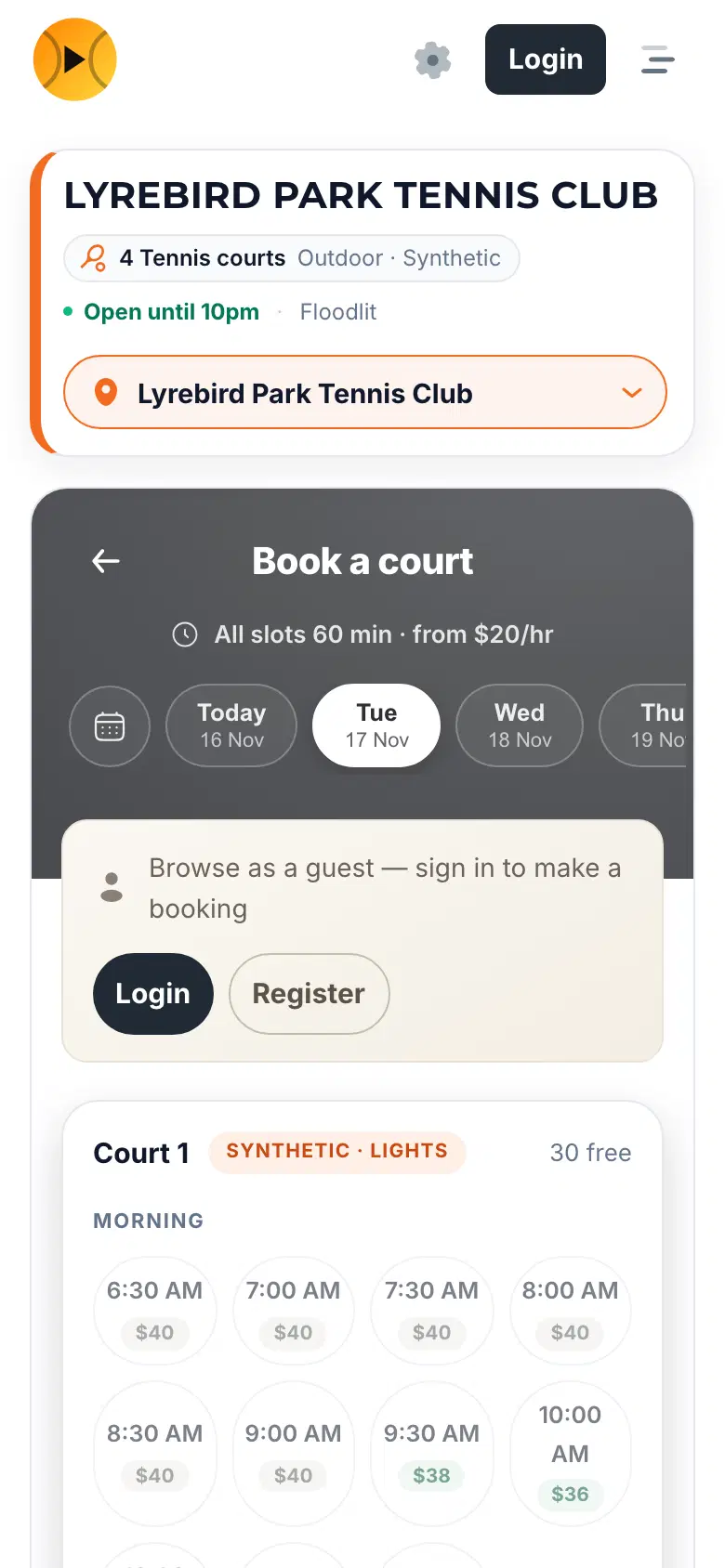
Book and pay online
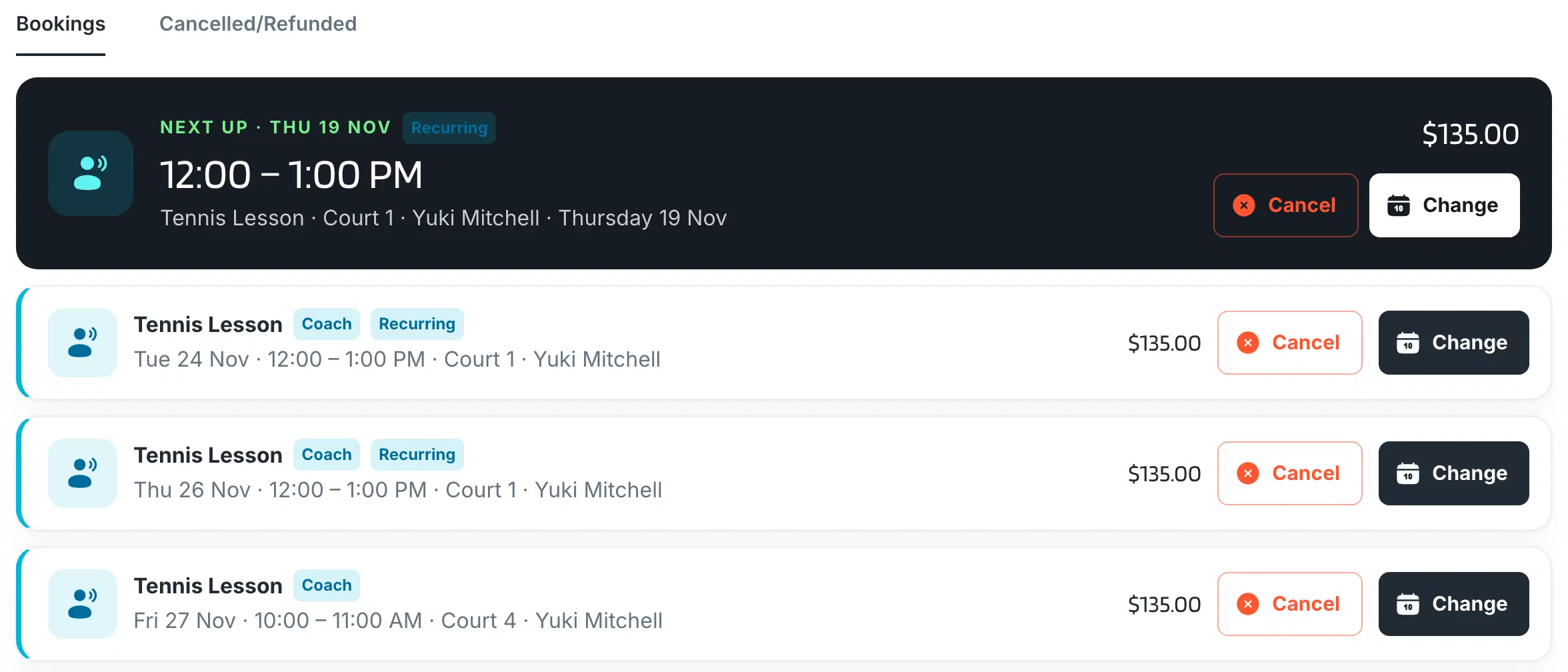
Players book courts, coaches, groups and packages from their phone, pay at checkout and manage their own bookings.
One account, every venue
A single player account and profile works across all of your venues.
AI booking search
Players type or say what they want, such as “a padel court Saturday at 3pm”, and see what is actually free.
Coaching and programs
Coaching, groups and school terms
Coaching and groups
Private lessons and group sessions, public or invite-only, with places left and prices shown to players.
School programs
Whole terms allocated in one go, with pupils listed against their school.
Coach portal
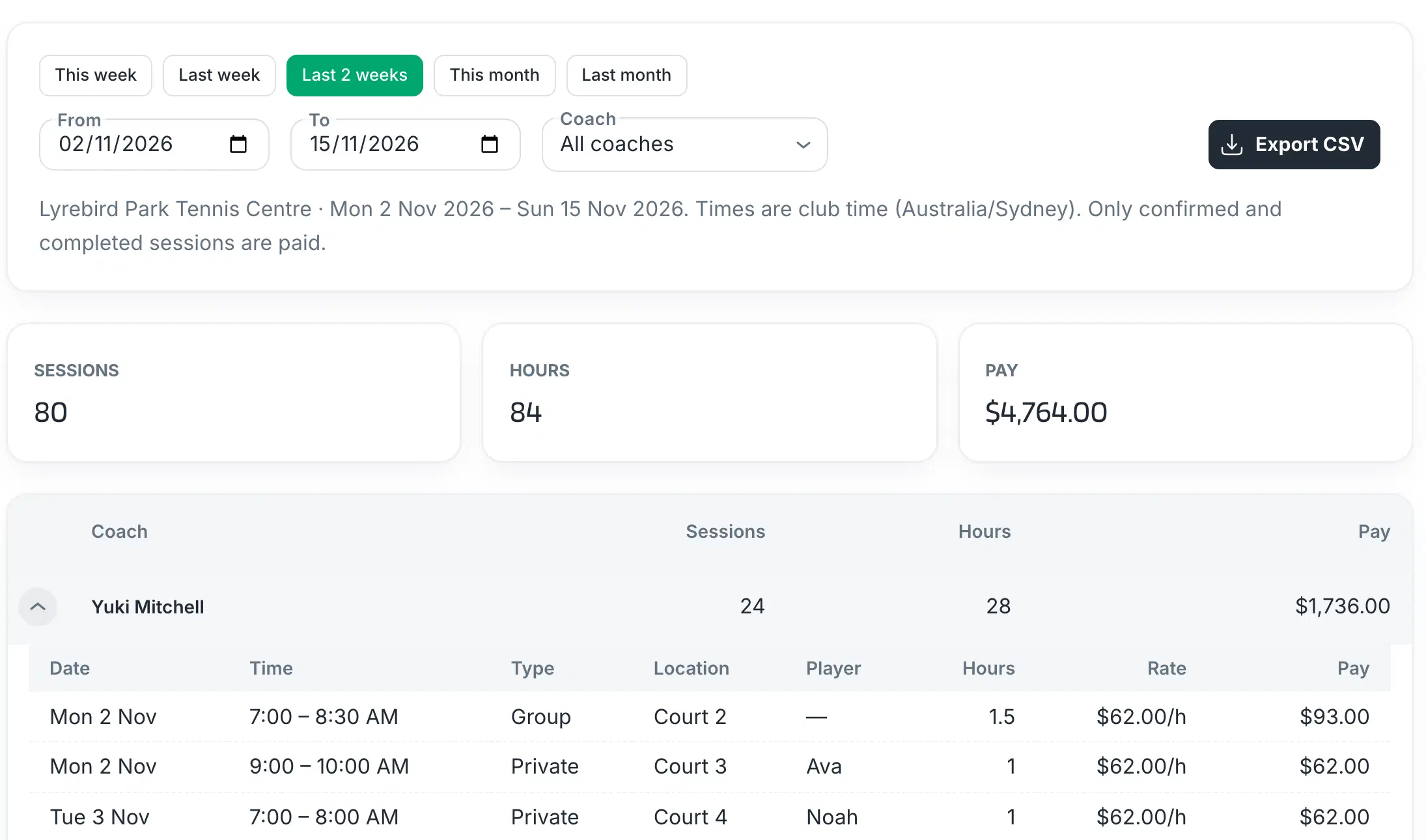
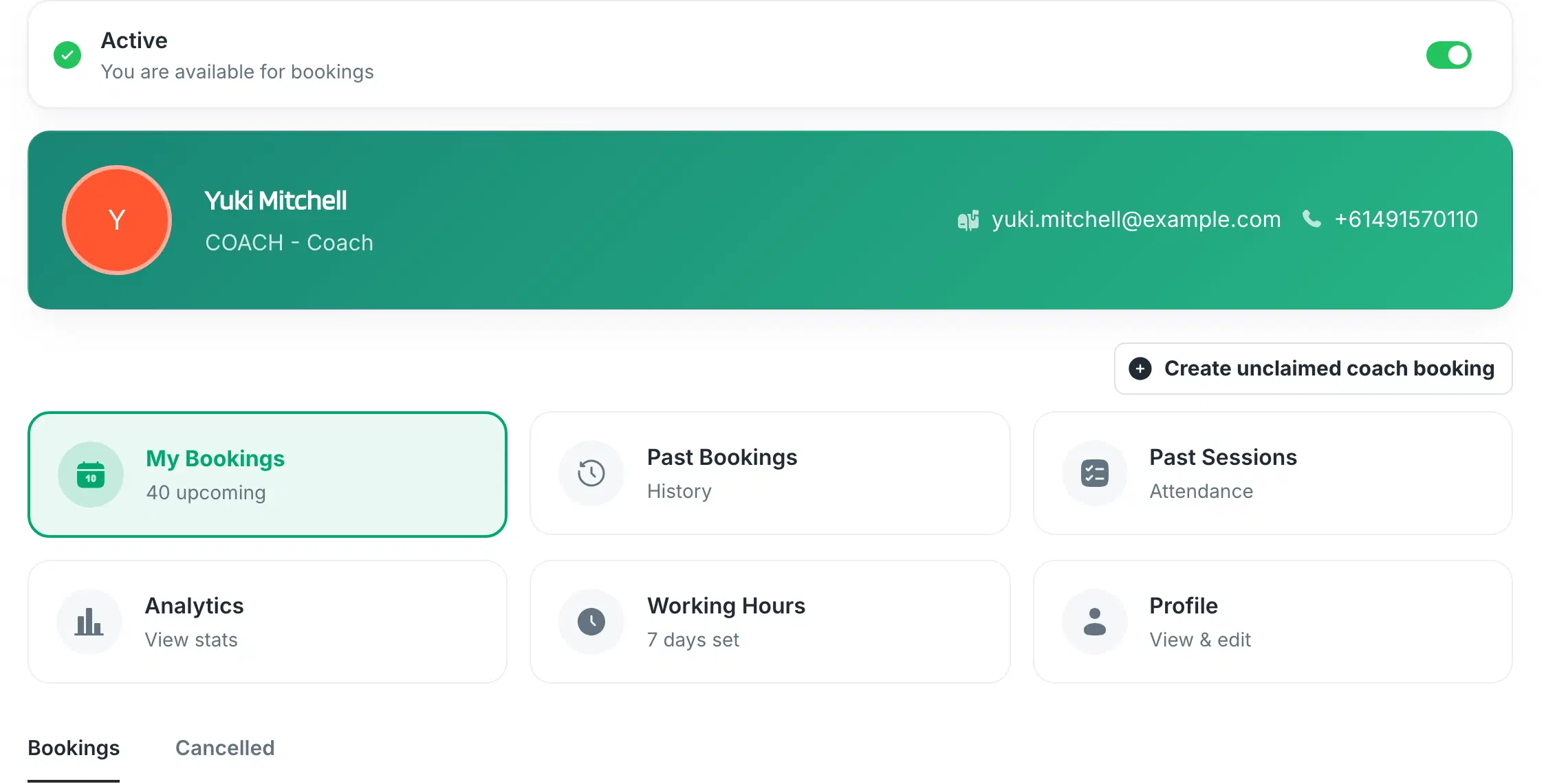
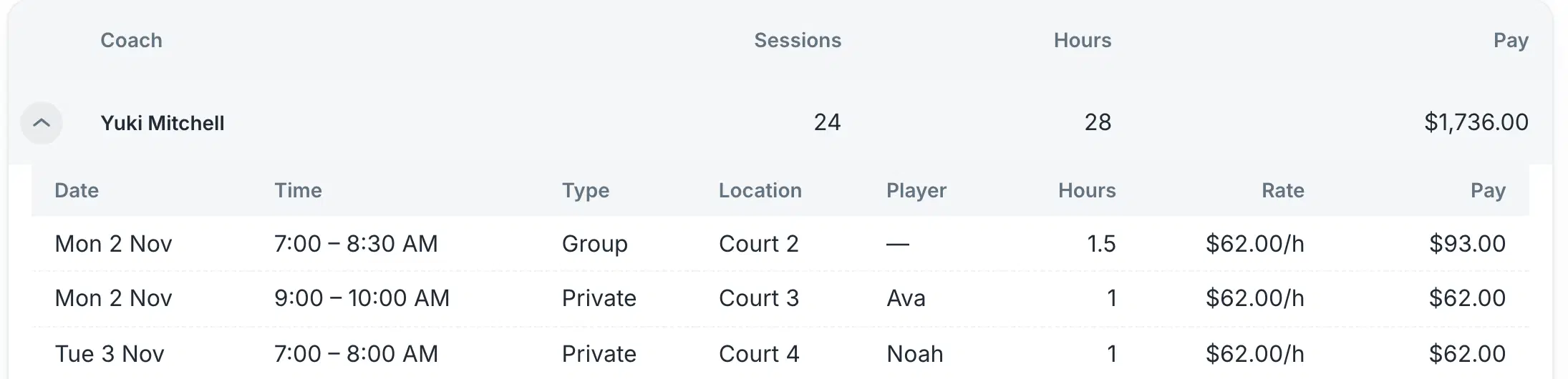
Coaches set their hours, see their sessions, mark attendance and check their earnings.
Revenue and reporting
Revenue collected up front, reported by venue
Memberships and packages
Sold online through Stripe. Memberships renew on their own and package sessions are counted as they are used.
Cancellations and credits
Your notice period enforced, with credits issued and tracked automatically.
Reporting
Bookings and fees for one venue or all of them, a month-by-month chart and coach earnings.
Multi-venue
One admin across every venue
Each venue keeps its own courts, rates and rules. Your team sees them all from one place.
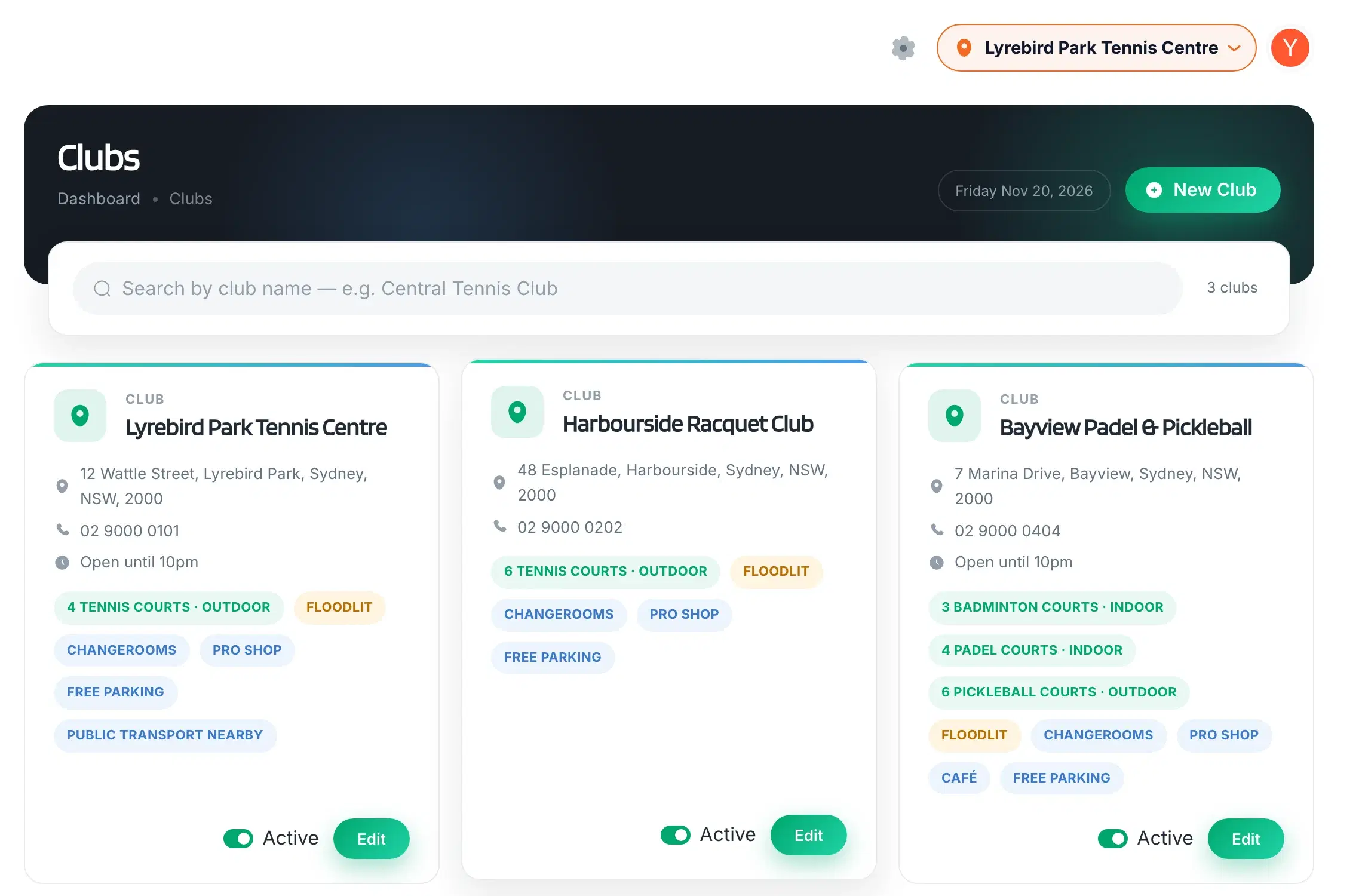
Every venue in one admin, switched from the header
Courts per venue, each with its own hours, rates and restrictions
Each venue in its own timezone
Memberships, packages and groups per venue
Cancellation notice and court hire terms per venue
Coaches assigned to the venues they work at
One player account across every venue
A venue hidden from players until you switch it on
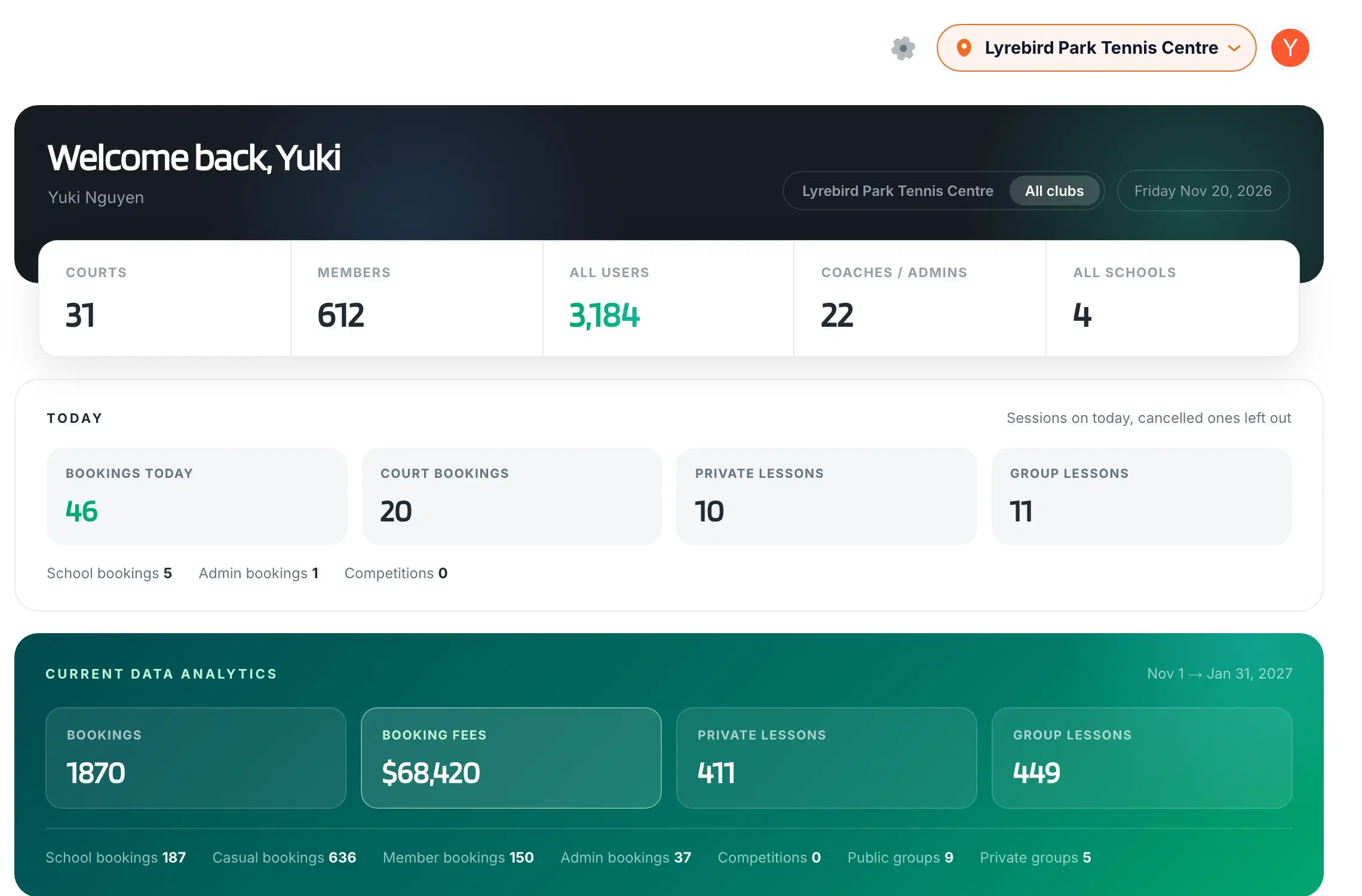
A dashboard across every venue, or one venue at a time
The dashboard across every venue, or one at a time. Demo data.
Any sport played on a hired court
Your admins add sports themselves, and players filter courts by sport. These are the sports in our mark, and the list keeps going.
Tennis
Badminton
Basketball
Pickleball
Padel
Volleyball
Futsal
Table tennis
+Squash and more
See it working
The screens your teams will use every day
Real product screens, shown with demo data.
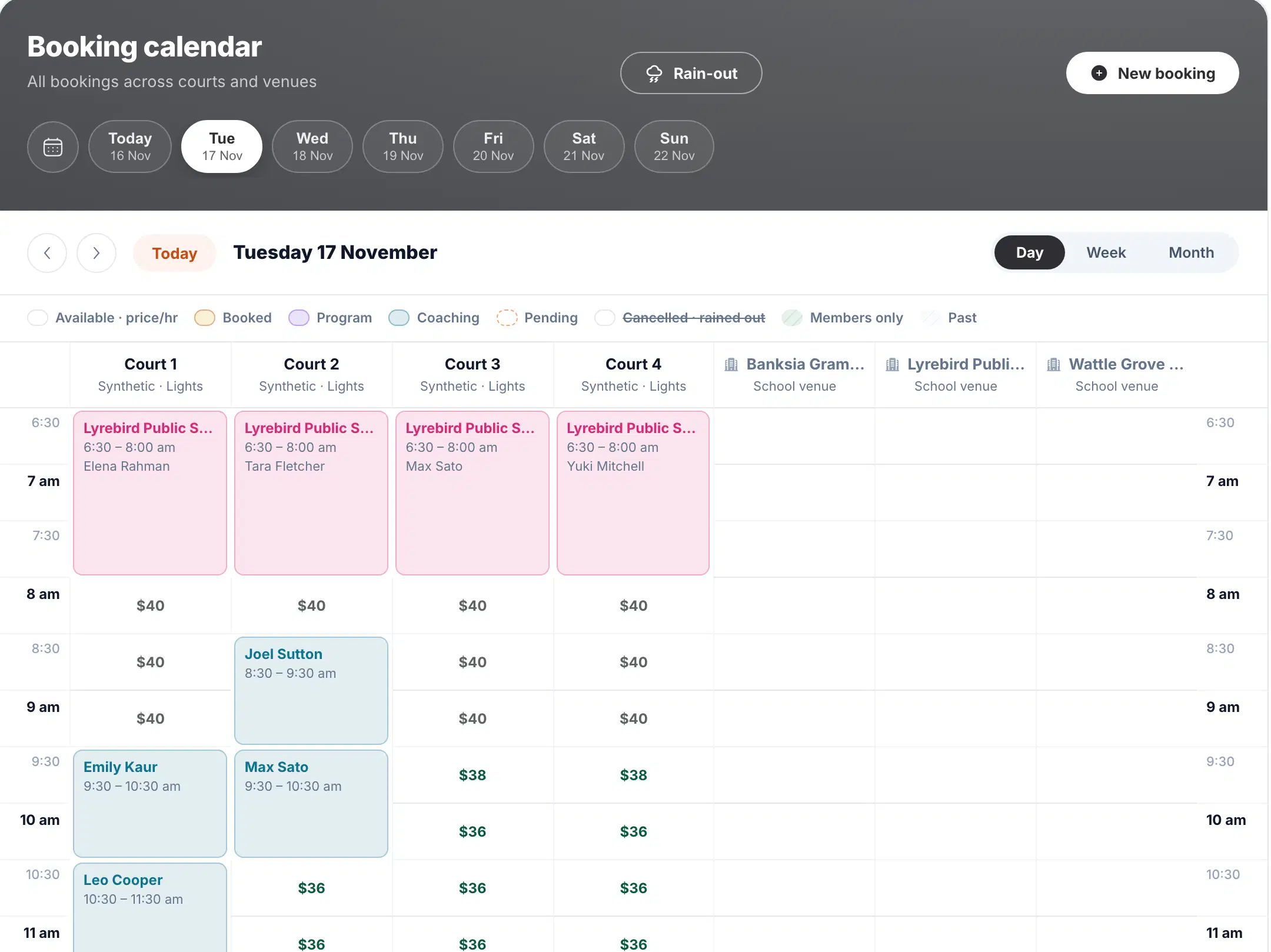
Every court and booking on one screen
Courts, coaching, programs and school venues side by side. Bookings are colour-coded by type, and free slots show their price.
Demo data
Integrations
Built in, or built to your requirements
Payments and notifications work from day one. Connections to your other systems are scoped and built for you, not picked from a marketplace.
Built in
Card payments and membership subscriptions through Stripe, paid into your account
Booking confirmations, changes and cancellations by email and SMS
AI booking search: players type or say what they want
Your name, logo and colours on the booking site, set up by us
Built to your requirements
Court lighting and access
Can be built to switch on lights or open gates for the booked court and time, through your lighting or access controller.
Marketing platforms
Can be built to keep players and members in step with your email or CRM platform, with the consent they have given.
Accounting and ERP
Can be built to pass payments and fees to your finance system, so nobody is re-keying them at month end.
Your other systems
Other systems your venues already run, scoped with you from their technical documentation before anything is promised.
Each integration is a custom build, scoped from the other system’s technical documentation in discovery and agreed before any work starts.
Rollout
From discovery to every venue live
No big-bang cutover. Venues move across one at a time, each when it is ready.
01
Discovery
Your venues, sports, booking types, membership rules and the systems to connect, written down before anything is set up.
02
Configuration
Venues, courts, rates, memberships, packages, coaches and staff accounts, set up with your team.
03
Migration and integrations
Recurring bookings, school terms and squads brought across, and any integrations built and tested.
04
Venue by venue
Each venue goes live when it is ready, with support close by through its first weeks.
Trust and security
The questions procurement will ask
You own your data
Bookings, players and payments are your records. You can have an export whenever you ask for one.
Access by role
Admins, coaches, members and players each see only what their role allows. Coaches see their own figures, never venue revenue.
Payments through Stripe
Card details are entered into Stripe’s own payment fields, so card numbers never reach SportsPlay.
Built and supported in Sydney
By the CSMT3CH team that builds the platform. Support commitments are agreed in writing with each operator.
Pricing
Commercial terms agreed per operator
No setup fee and no lock-in. Your commercial terms are agreed with you and confirmed in writing before any venue goes live.
Your venues configured and existing bookings brought across
Terms agreed in writing before launch
FAQ
Questions operators ask us
Is SportsPlay only for tennis?
No. It books any sport played on a court you hire out. Tennis, padel, pickleball and table tennis are set up from the start, and your admins add others, such as badminton, basketball, volleyball, futsal or squash, themselves. Players filter courts by sport.
How is SportsPlay related to TennisPlay?
They are the same platform, built by the same team. TennisPlay is the edition for individual tennis clubs. SportsPlay is for operators running several venues and sports, with commercial terms and rollout support to match.
Do you charge per venue, court or staff account?
Commercial terms are agreed with each operator and confirmed in writing before launch, so you know the full cost before any venue goes live. There is no setup fee and no lock-in contract.
Can staff be limited to one venue?
Coaches are assigned to the venues they work at. Admin accounts see every venue today and choose the one they are working on in the header. If you need venue-level staff roles, raise it in discovery.
Can each venue be paid into its own Stripe account?
Not today. Payments from every venue go to the one Stripe account you connect, and Stripe pays them out to your bank. Tell us in discovery if your venues are separate businesses.
Can it connect to lighting, access control, marketing or accounting systems?
Those integrations are built to your requirements and the other system’s technical specifications, not switched on from a list. Stripe payments and email and SMS notifications are built in.
Can it replace our current booking platform? How does migration work?
Yes. We bring your recurring bookings, school terms and squad sessions across before each venue goes live, and you switch venues over one at a time rather than all on one day.
Who owns the data?
You do. Your bookings, players and payments are your records, and you can have an export whenever you ask for one. We never sell them, and we only use them to run the platform for you.
Talk to us about your venues
Tell us how many venues and sports you run, what you’re evaluating and which systems need connecting.